Friday, March 13, 2015

Thursday, March 12, 2015


Wednesday, February 11, 2015

Monday, February 9, 2015
Maya Tools
Salt shaker:

 |
| To loft something you must select everything you're wanting t hen click this button. |
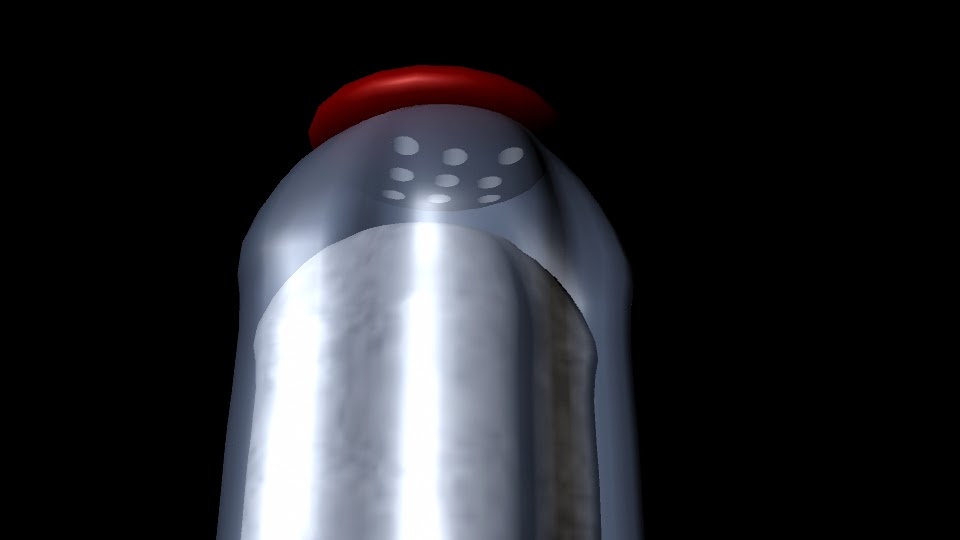 I made this dinner salt shaker by shaping the base of the shaker. Then made a skeleton of the body of the shaker. Later used the lofting tool to make the body of the shaker and colored it blue with a transparency. Next I made the cap of the salt shaker and then colored in a red blinn material. Then made the holes of the cap by making the small cylinders and placing them in the lid then select the cap and then all the cylinders then going Mesh>booleans>difference.The last step in the salt and you make a shape then bump map the salt texture on the shape.
 Cups:
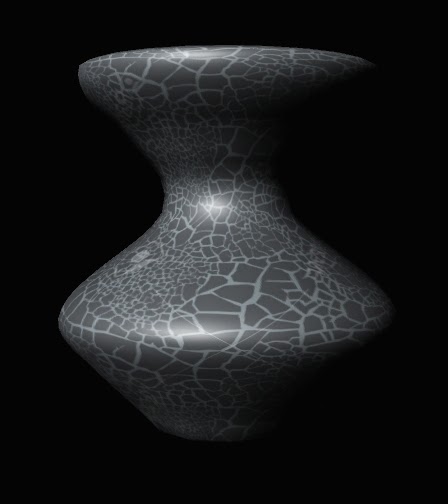 This project was the introduction to NURBS. NURBS is the Non-Uniforn Rational basis spline. First sat my folder up for the new project
  |
| To finish off the cup I used this revolve tool. |

Bounce:
Before editing anything we went and dropped each type of ball we were going to editing and recorded it. Then watch the three videos and collect data of the frames of when it the balls hit floor and when the ball reaches it's highest peak. Next make a sphere and move to according to the data. Press the letter "S" when you are wanting to adding a keyframe. Then do this three times for the tennis, bowling and golfball. Then assigned them a seamless texture.
Thursday, January 29, 2015
Friday, December 12, 2014
Backpack Journalism: Lego Day to Blood Drive
Although I film all the footage of Lego Day but not the blood drive due to timing at my school. We used the six shot system within these films. The first video I filmed was the Lego Day and I was a quick easy task. It was some what a practice round before the Fall Blood Drive. Where you predictably have been put on to be daring to get close and get the shots you want and need to make a successful package. Another task you need to do I asking good question and allowing you subject to speak. Then once you get them to speak you have to make you have quality audio. So you can editing them within your video. Editing is a crucial thing to follow through with the video.

Thursday, December 11, 2014
Maya Ice Cream Shop


Previously getting to know Maya through two earlier projects, for example my Maya Hammer and other small exercises. Summing up everything I know now through my experience, this, piece was my outcome.
Modeling the Ice Cream Shop:
Initially, I start with the setting, is a room with a table. To make the room first I made one plane for the floor and two for the walls. Then added a material for them by holding the right click on the one I was wanting to color, I went to select material and imported a pattern I liked to give it some flare. I then made the table with four cylinders and a rectangular prism. I made sure the pieces matched the grouped them together by going to the drop down mesh to booleans then lastly clicked on union. Then colored it was a glass texture I found.I started with the five scoops of ice cream. After finding the size I wanted, I made one sphere then copied (Command+C) and pasted (Command + V) the other four. Copy and pasting these saved time for me and made sure all the sphere were the same size. After making these spheres I found steam less pattern and textures for flavors chocolate, strawberry and vanilla. Then assigned the spheres the material Phong then imported the file for the flavors
Next task was making the cone and bowl. To make the cone you must make two, a large cone and a small. Then click mesh to booleans then difference. For the bowl you do the same, but with cylinders instead of cones. Just as the scoops of ice cream you must assign it a material lather than the default grey lambert. For the cone I googled for a steam less pattern for a waffle cone. And for bowl, I choose a color that would complement the rest of the project. Then made the ice cream scooper and ice cream cone stand and colored it a stainless steel.
 Something I would do differently would be starting it and sticking because when I first started I completely gave up on using Maya I thought I couldn't do anything! After finishing I got to know Maya better and gained some confidence in Animation knowing I made this. Another thing I would do different would be doing bump mapping on the scoops of ice cream to give it texture. I would definitely use the same colors of everything because they complement each other visually.
Animating the Ice Cream Shop:
Subscribe to:
Posts (Atom)